Client Settings: Accounts Manager and Departments
Accounts Manager is the client's chart of accounts: every ledger other than customers and suppliers, with its account number, account type and parent account. Bank accounts, cash, expense heads, income heads, loans and tax ledgers all live here, and the account type decides where each balance appears in the Profit & Loss Statement and Balance Sheet. Department is a simpler list used to tag expenses and assets by the part of the business they belong to. This article covers both.
On this page
- Opening Accounts Manager
- Reading the list
- Account types
- Adding a ledger
- Departments
- Frequently asked questions
Opening Accounts Manager
- Open the client and select Settings.
- Select Accounts Manager.
Reading the list
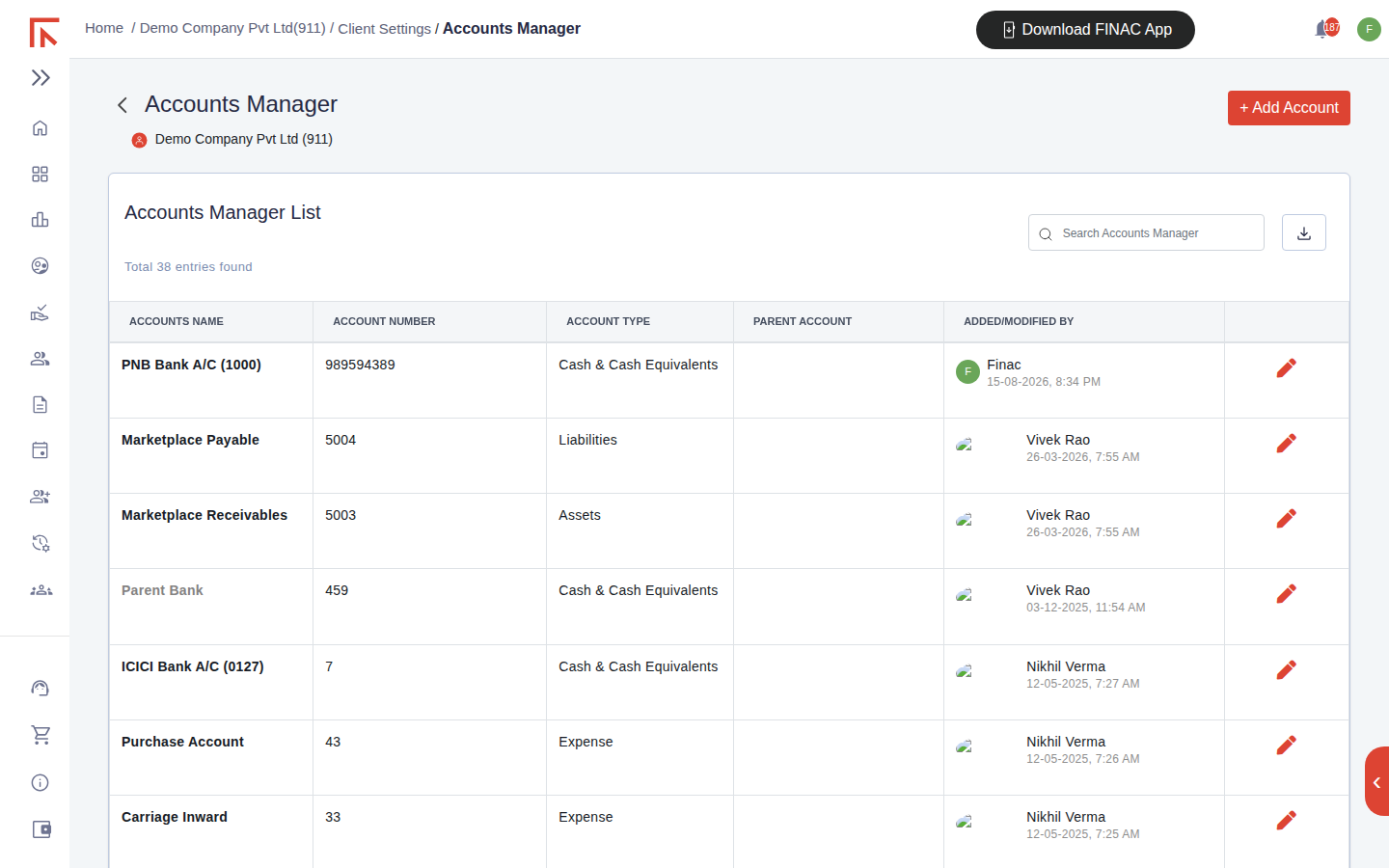
| Column | Meaning |
|---|---|
| Accounts Name | The ledger name as it appears in reports and in the ledger dropdowns on invoices and bank transactions. |
| Account Number | The ledger's number in the chart of accounts, typed or generated automatically when Auto Unique Number is on. |
| Account Type | Cash & Cash Equivalents, Assets, Liabilities, Income or Expense. Decides the statement and section the balance reports in. |
| Parent Account | The group the ledger sits under, where a hierarchy is used (for example several bank accounts under a Bank group). |
| Added/Modified By | The user, or Finac for system-created ledgers, and the time. |
The pencil icon opens a ledger for editing and the download icon exports the list. Customers and suppliers are not shown here; they are managed under Customers/Suppliers and appear in reports under the Customer and Supplier headings.
Account types
| Type | Reports in | Typical ledgers |
|---|---|---|
| Cash & Cash Equivalents | Balance Sheet, assets side | Bank accounts, cash in hand. Only ledgers of this type can be chosen as the bank when uploading a statement. |
| Assets | Balance Sheet, assets side | Fixed assets, deposits, advances, marketplace receivables, tax receivable. |
| Liabilities | Balance Sheet, liabilities side | Loans, marketplace payables, TDS and GST payable, capital. |
| Income | Profit & Loss, income block | Sales, service income, subscription income, interest received. |
| Expense | Profit & Loss, expense block | Purchase Account, Carriage Inward, Freight Inward, Wages and Salary, Bank Charges, rent, professional fees. |
Choosing the type correctly is what keeps the statements right without further work: an expense head created as an Asset would take the spend to the Balance Sheet instead of the Profit & Loss.
Adding a ledger
- Select + Add Account.
- Enter the Accounts Name. For a bank account include the bank and the last digits of the account number, as in "PNB Bank A/C (1000)", so it is unambiguous in dropdowns.
- Enter or accept the Account Number.
- Choose the Account Type and, if the chart uses groups, the Parent Account.
- Save. The ledger is available immediately in the Nature of Expense and Nature of Income lists on invoices, the ledger dropdown on bank transactions, and the reports.
Ledgers can also be created without leaving an invoice, with + Add Ledger in the Add Item Details dialog. They appear here afterwards and can be tidied, for example by setting the parent account.
Departments
Settings > Department holds the list of departments the business reports by, for example Production, Sales, Administration. Select + Add Department, enter the name, set the Status to active and select Add Department.
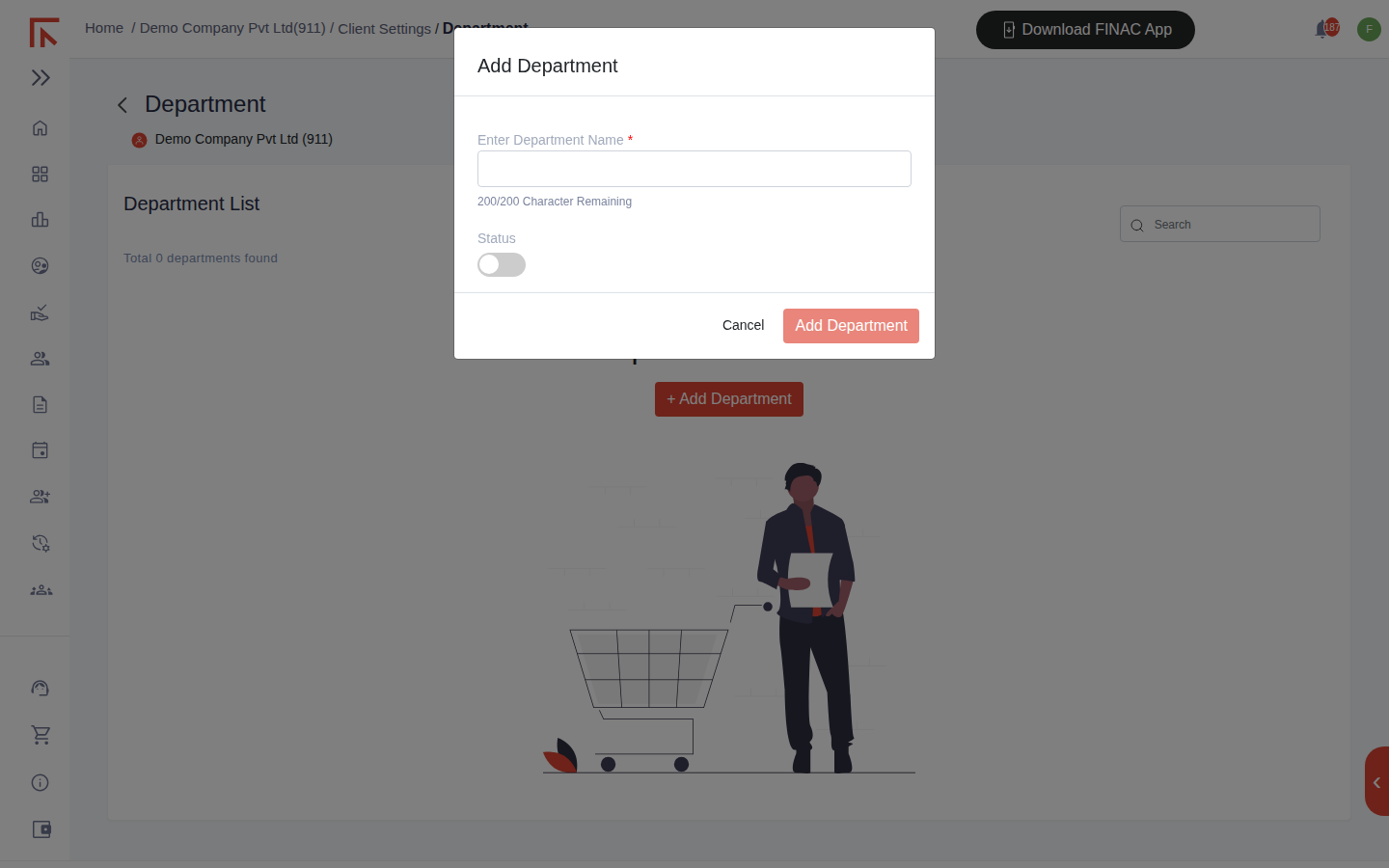
Departments are offered on the Add Fixed Asset form, so the Fixed Asset Register can be filtered by department, and on invoice entries where expenses are to be analysed by department. An inactive department stays on historical records but is not offered for new ones.
Frequently asked questions
Can I rename a ledger that already has entries?
Yes. Entries follow the ledger, and reports show the new name. The account number should not be changed once in use.
Where do GST and TDS ledgers come from?
Finac creates the tax ledgers (IGST, CGST and SGST payable and receivable, TDS Payable) when the client is set up and posts to them from invoices automatically. They appear in the list and in the Tax Payable and Tax Receivable sections of the Balance Sheet.
A ledger was created with the wrong type. Can it be changed?
Open it with the pencil icon and change the Account Type; existing balances move to the correct statement section. Check the Trial Balance afterwards.