Trial Balance, Profit and Loss and Balance Sheet
The three core financial statements in Finac's Reports module are produced directly from the ledgers, for any date range, without a closing or posting step. The Trial Balance lists every ledger with its opening balance, movements and closing balance. The Profit & Loss Statement groups income and expense ledgers for a period. The Balance Sheet shows equity, liabilities and assets as at a date. This article explains how to run each one, how to read it, and how the three tie together.
On this page
- Opening a report
- Trial Balance
- Profit & Loss Statement
- Balance Sheet
- How the three tie together
- Frequently asked questions
Opening a report
- Open the client and select Reports on the Client Dashboard.
- In the Financials column, select View beside the report.
- Set the Date range (Current Financial Year by default) and, where offered, a Branch, then select Get Statement.
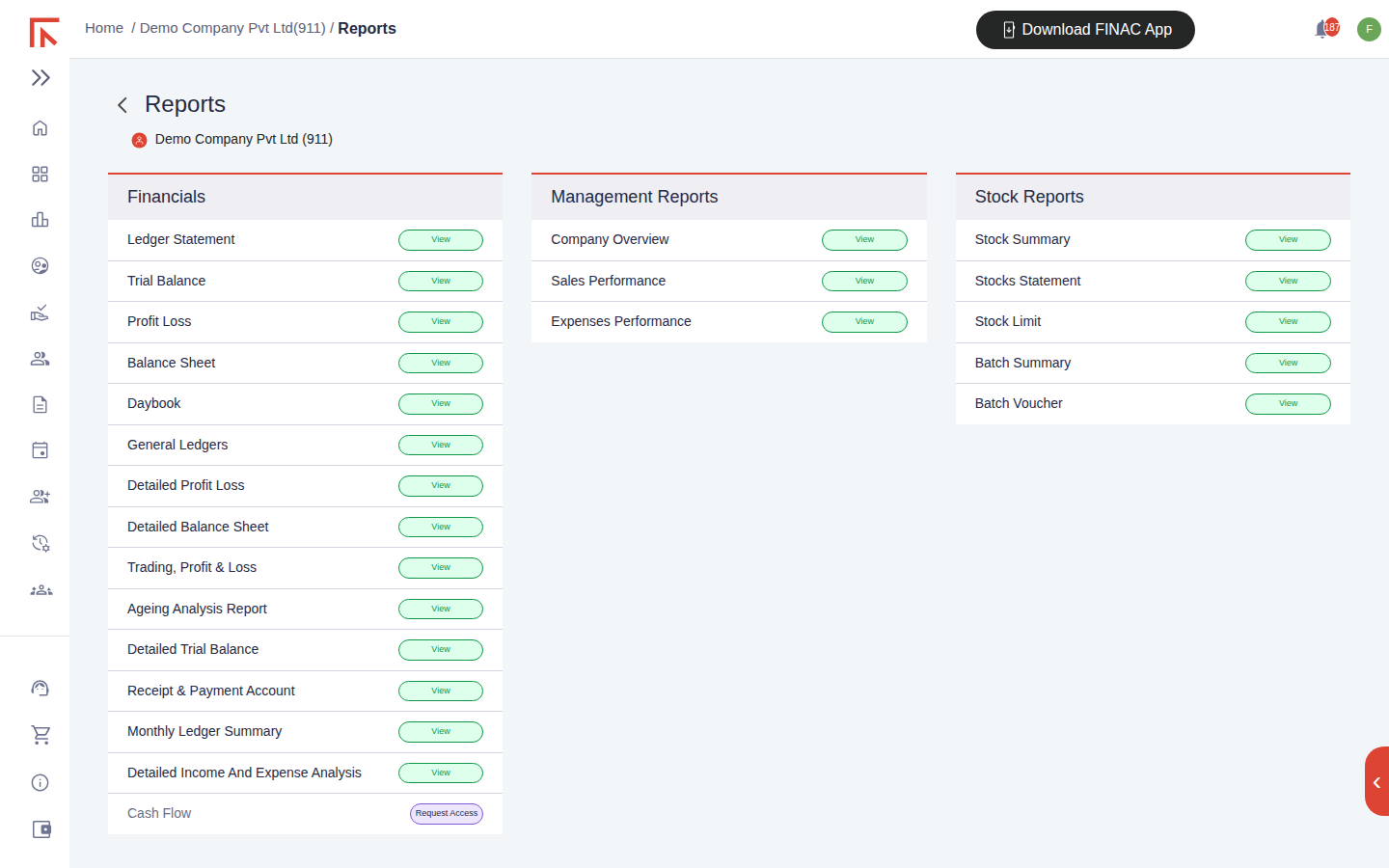
Every statement carries a red Excel icon at the top right that downloads the report as a spreadsheet, and ledger names in the statements are links that open the Ledger Statement for that account.
Trial Balance
The Trial Balance lists each ledger that has a balance or movement in the period.
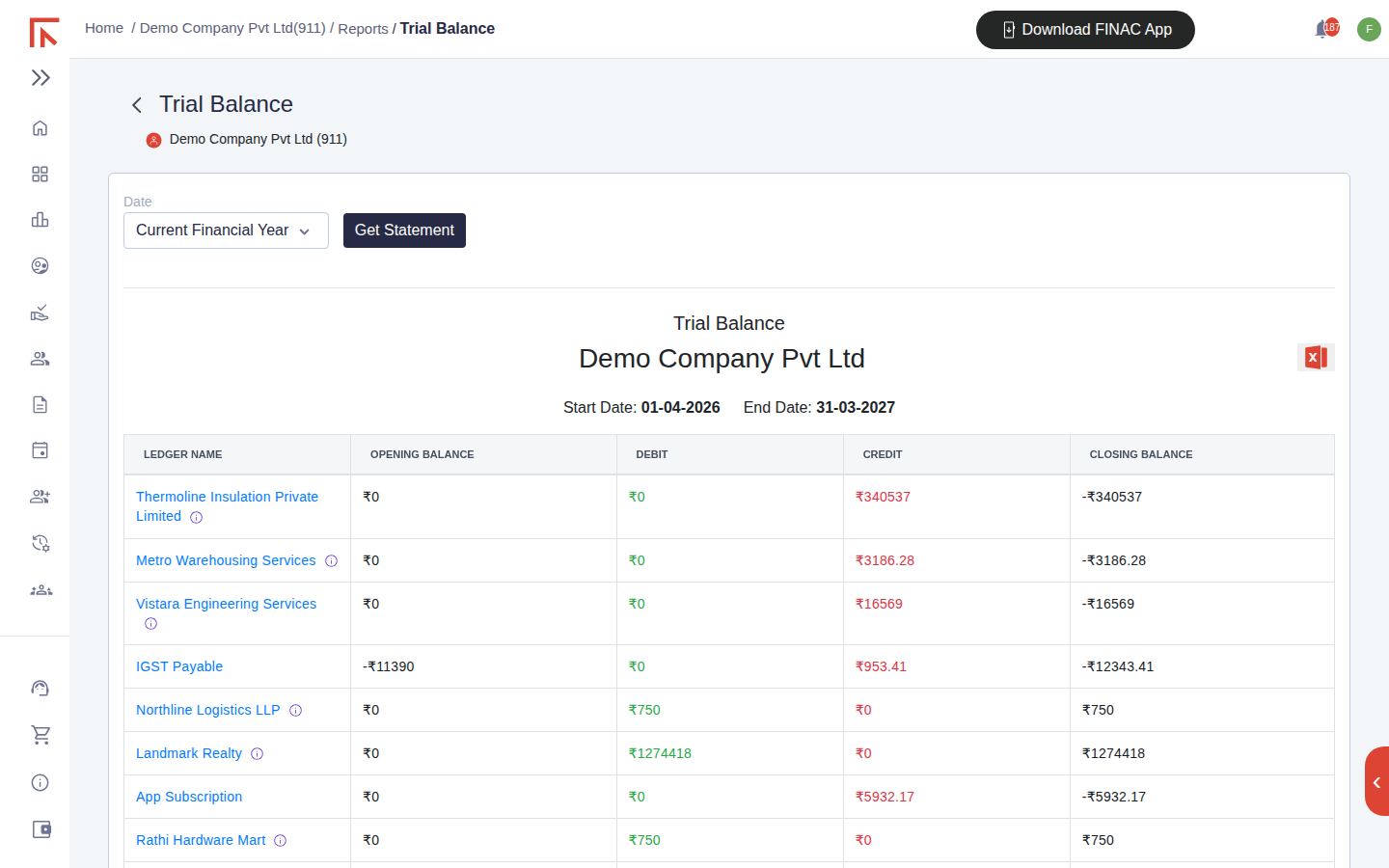
| Column | Meaning |
|---|---|
| Opening Balance | The balance brought forward at the start date. Zero for a ledger first used in the period. |
| Debit / Credit | Total debits and credits posted in the period. |
| Closing Balance | Opening plus debits less credits. A negative figure is a credit balance, so a supplier owed money and a tax payable show negative; a customer owing money and an expense show positive. |
Use the Trial Balance to check that every ledger sits where expected before reading the summarised statements: a supplier with a debit balance, a customer with a credit balance, or a bank account with an unexpected sign points to a posting to review. Select the ledger name to open its statement and see the entries.
Profit & Loss Statement
The Profit & Loss Statement groups the income and expense ledgers for the period into two blocks with totals and the resulting net profit or loss.
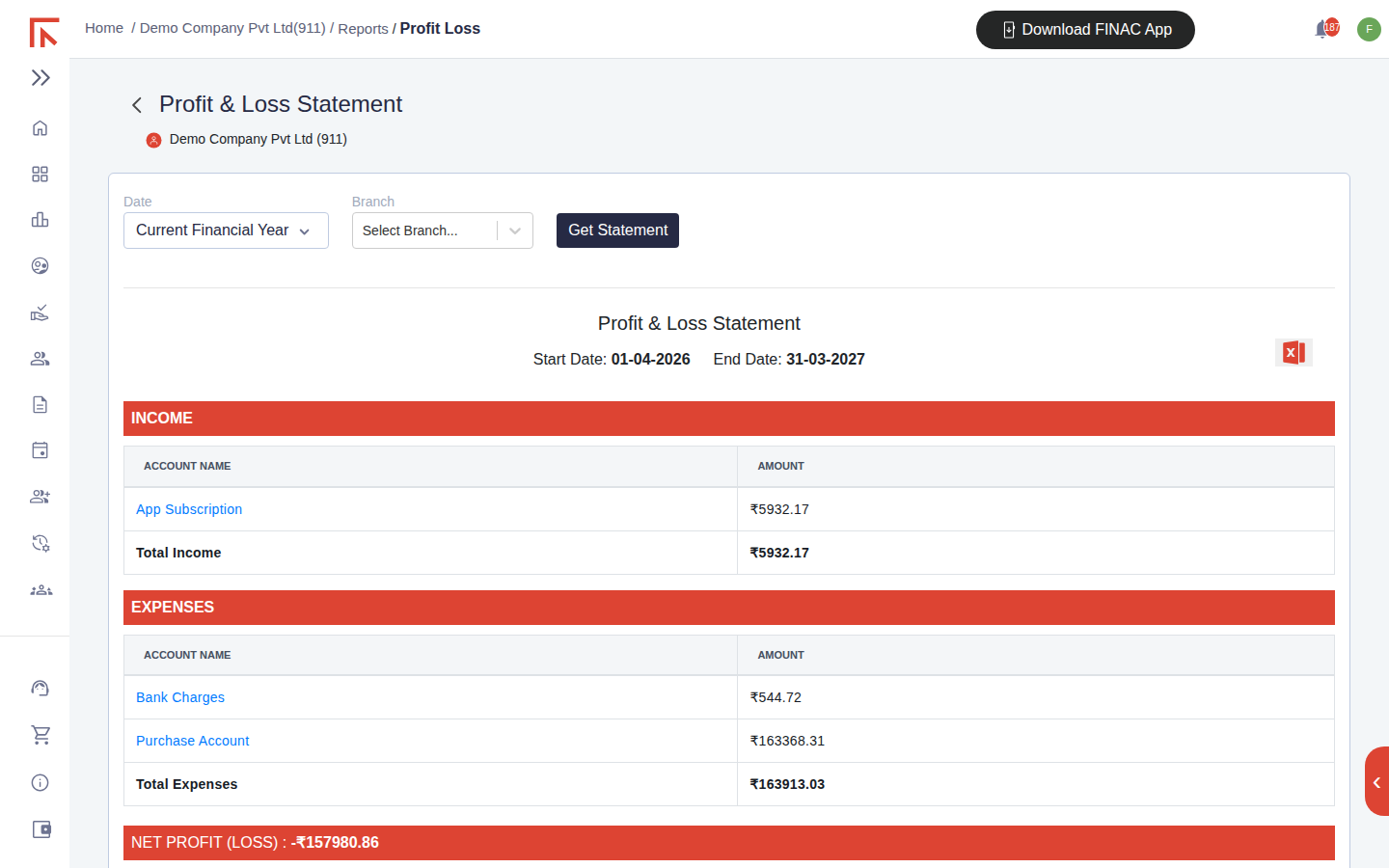
Which block a ledger falls into is decided by its account type in Accounts Manager (Income or Expense). The Branch selector produces a statement for one branch. For a breakdown by sub-account use Detailed Profit Loss, and for a trading account with opening and closing stock use Trading, Profit & Loss, both in the Financials column.
Balance Sheet
The Balance Sheet is prepared as at the end date of the range. The liabilities side lists Equity (capital and drawings), Retained Earnings (accumulated profit and loss, including the current period's result), Liabilities (loans and other payables), Tax Payable (TDS, IGST, CGST and SGST payable) and Supplier balances. The assets side lists fixed and other assets, Customer balances, Tax Receivable (input credit), Inventory and Cash & Cash Equivalents, which are the bank and cash ledgers. Each ledger name links to its statement.
A note at the top of the screen warns that assets and liabilities may not agree when the Balance Sheet is run for one branch and stock entries exist, because stock is held at client level. Run it without a branch for the full position. Detailed Balance Sheet in the Financials column gives the sub-account breakdown.
How the three tie together
- The Profit & Loss result for the period equals the movement in Retained Earnings on the Balance Sheet between the start and end dates.
- Every closing balance on the Trial Balance appears either in the Profit & Loss Statement (income and expense ledgers) or on the Balance Sheet (all other ledgers).
- The bank ledgers under Cash & Cash Equivalents should agree to the closing balances on the uploaded bank statements for the same date. A difference means transactions on the statement are still unposted, or entries exist in the books with no bank counterpart.
Frequently asked questions
Can I run the statements for last financial year?
Yes. Change the Date control from Current Financial Year to a custom range or a previous year and select Get Statement.
Why does a supplier show a positive closing balance?
Payments to the supplier exceed the bills recorded, usually because a bill has not yet been uploaded. Record the bill and the balance clears.
The figures changed since I last looked.
Reports are live. Any statement uploaded or bill recorded since your last view is included. Download the Excel copy when a figure needs to be fixed at a point in time.