Ageing Analysis: Receivables and Payables
The Ageing Analysis Report shows how long the money a business is owed, and the money it owes, has been outstanding. Balances are bucketed from 0 to 30 days through to 365 to 730 days, party by party, with a total row at the top. Run for Sales it is the receivables ageing used to chase customers; run for Expense it is the payables ageing used to plan supplier payments. This article explains the report, how to read the buckets and how to act on them.
On this page
- Opening the report
- Payables: the Expense view
- Receivables: the Sales view
- Reading the buckets
- Acting on the report
- Frequently asked questions
Opening the report
- Open the client and select Reports.
- Under Financials, select View beside Ageing Analysis Report.
- Under Select Report Type, choose Expense for payables or Sales for receivables. The report loads at once; Refresh recalculates it after new entries.
The expand icon at the right widens the table to the full screen, and the Excel icon downloads it.
Payables: the Expense view
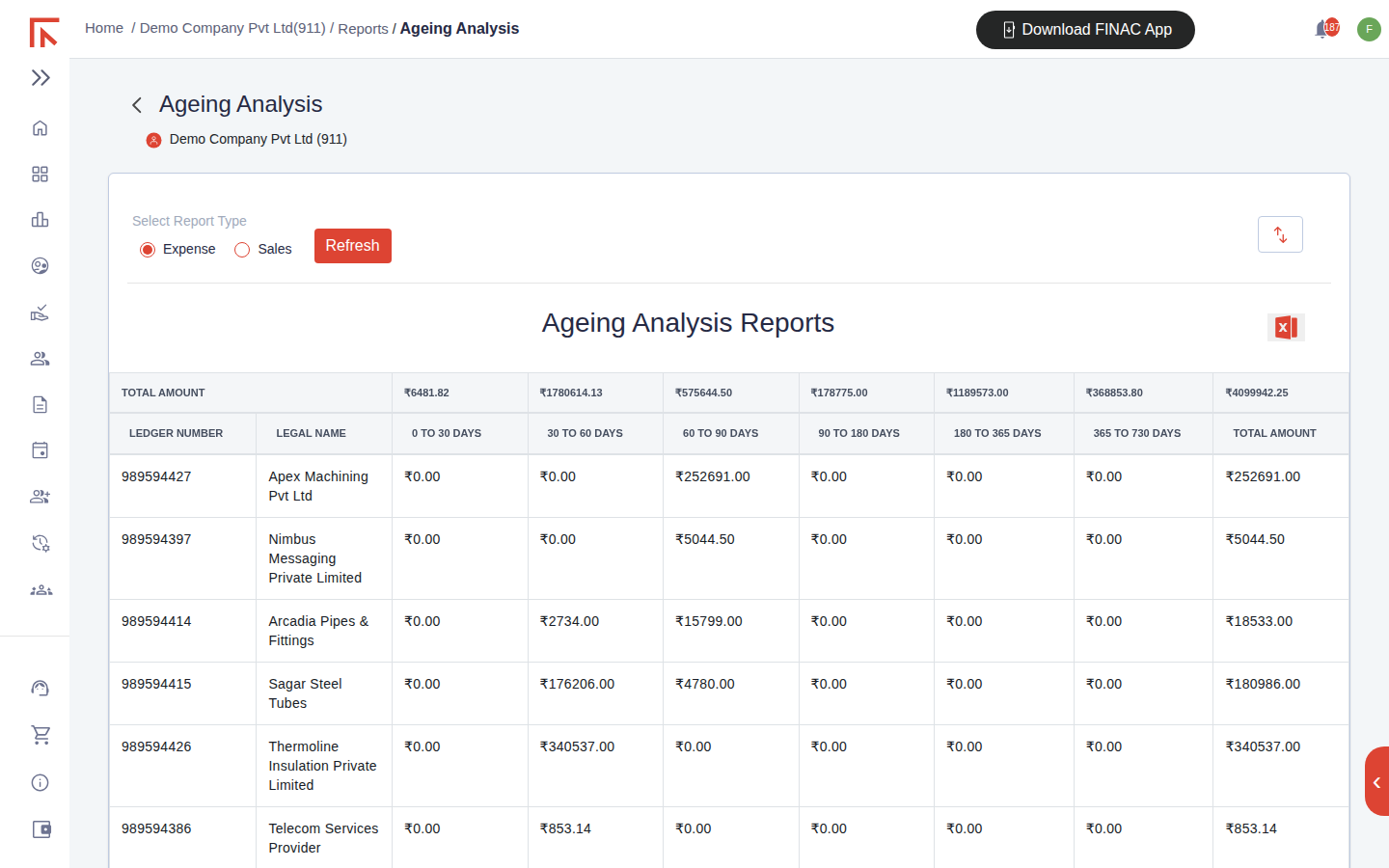
Each row is a supplier with the unpaid balance of its bills, aged from the bill date. The TOTAL AMOUNT row at the top sums every bucket, so the first line of the report is the total payables position and its age profile.
Receivables: the Sales view
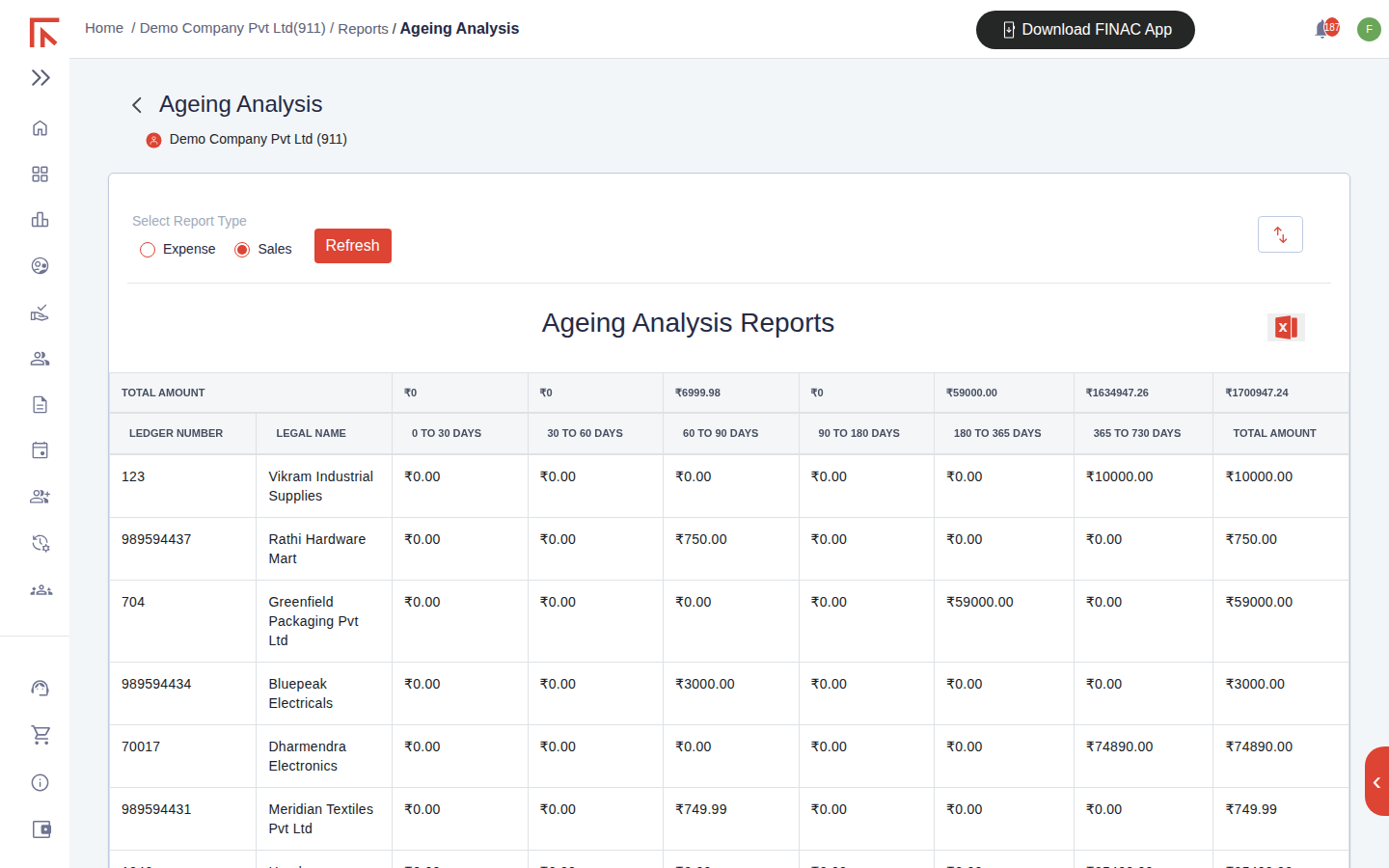
Each row is a customer with the unpaid balance of the invoices raised to it. Recent invoices sit in 0 to 30 days; anything in 90 days or beyond has usually missed its due date and needs a follow-up.
Reading the buckets
| Column | Meaning |
|---|---|
| Ledger Number / Legal Name | The party's ledger and registered name, as in the Customers/Suppliers list. |
| 0 to 30 days | Bills or invoices dated within the last month. Normally within terms. |
| 30 to 60, 60 to 90 days | One to three months old. Within extended terms for some trades; outside them for most. |
| 90 to 180, 180 to 365 days | Three months to a year. Receivables here are at risk; payables here may be attracting interest or straining the relationship. |
| 365 to 730 days | Over a year. Candidates for write-off, dispute resolution or a formal demand. |
| Total Amount | The party's total outstanding across all buckets. |
Ageing runs from the document date, not the due date, so a supplier that gives 45-day terms will legitimately show balances in the 30 to 60 column. Read the report with the client's usual terms in mind.
Acting on the report
- Receivables. Sort the Sales view by the older buckets and follow up the largest balances first. Customers with Over Due Email Status switched on in their record receive automatic reminders, which can be triggered from the Overdue Reminders control on the Sales Invoices tab.
- Payables. Use the Expense view to schedule payments so that older bills are cleared first and supplier credit is not exhausted. Cross-check a large or old balance against the supplier's ledger statement; an old balance sometimes reflects a payment posted to the ledger but not allocated to the bill.
- Month-end. Agree the total receivables to the Customer line and the total payables to the Supplier line on the Balance Sheet for the same date. A difference points to unposted bank transactions or advances.
Frequently asked questions
A customer paid but still shows in the ageing.
The receipt has been posted to the customer's ledger without being allocated to the invoice, or the bank statement carrying it has not been uploaded yet. Open the invoice and check Payment Details, then the uploaded bank statement.
Can I see the invoices behind a balance?
Select the party's ledger statement from Reports, or filter the Sales Invoices or Expense Invoices tab by that party with status Pending.
Why is a balance negative?
A negative receivable is an advance received from the customer; a negative payable is an advance paid to the supplier. Both clear when the invoice or bill is recorded.