Invoice Approvals and Payment Status
Two columns on every invoice list in Invoicing Advanced answer the questions an owner or accountant asks most often: has this entry been checked, and has it been paid. Approved By records who signed the entry off. Payment Status shows Pending, Partial Paid or Paid and updates as payments are recorded or matched from the bank statement. This article explains how approval works, how payment status is set, and how to filter a list by status.
On this page
- Reading the two columns
- Approving an entry
- How payment status is set
- Filtering by status
- Frequently asked questions
Reading the two columns
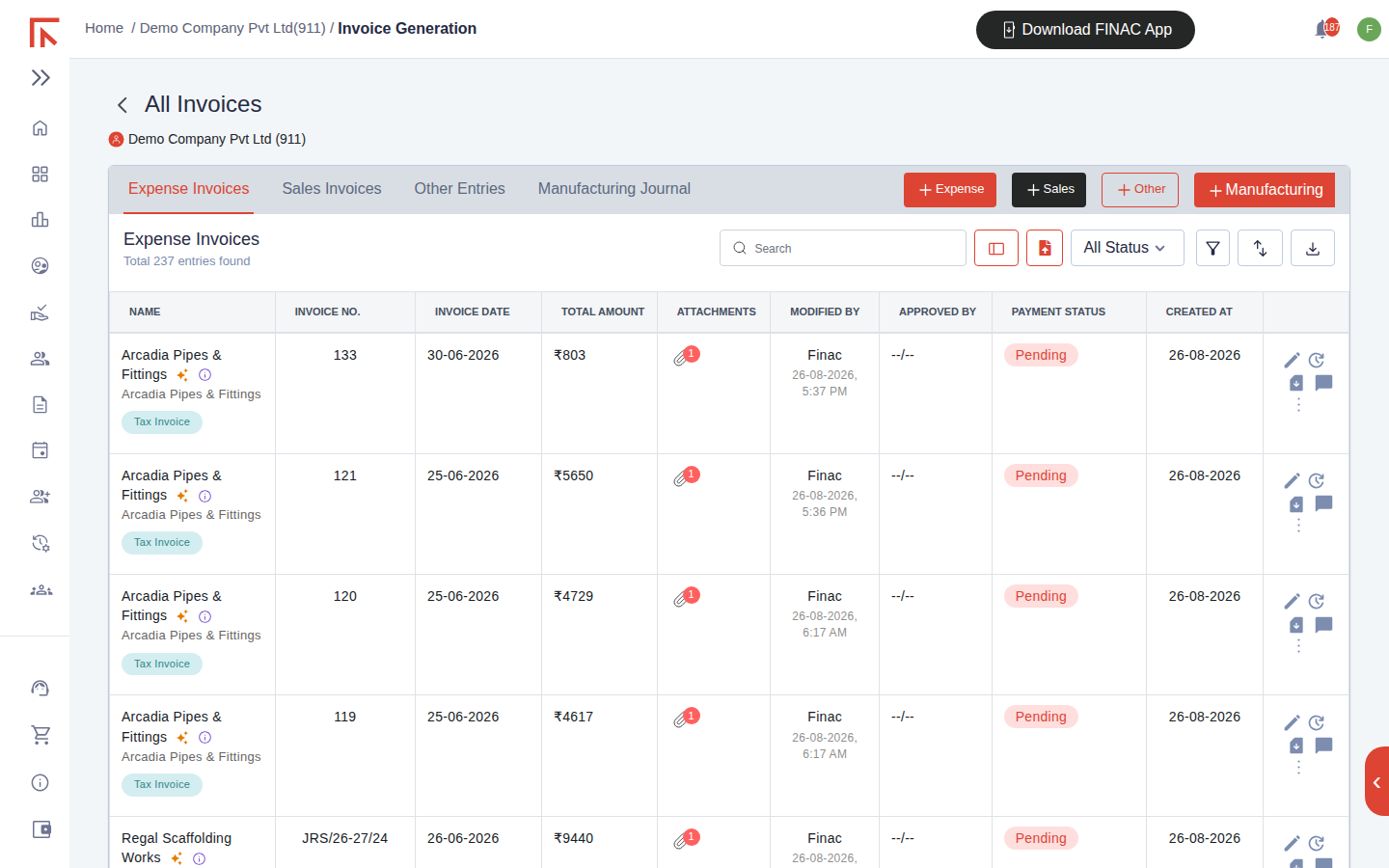
| Column | Meaning |
|---|---|
| Modified By | Who created or last changed the entry and when. Finac appears here for entries recorded from an uploaded document; a user's name appears for manual entries and edits. |
| Approved By | The user who approved the entry, or --/-- if it has not been approved. |
| Payment Status | Pending: nothing paid. Partial Paid: payments recorded for less than the total. Paid: settled in full. Purchase Order marks an expense entry that is an order rather than a bill. |
Approving an entry
Approval is a control step between recording and relying on an entry. Entries recorded from uploaded documents are created unapproved so that a person confirms the supplier, amount and coding before the figure is treated as final.
- Open the entry with the pencil icon on its row.
- Check the Primary Details and Item Details against the document attached under Upload Files.
- Scroll to Approval Details and select Approve This Entry. Use Add Comment to leave a note for the team or the client, for example a query about the coding.
- Select Submit.
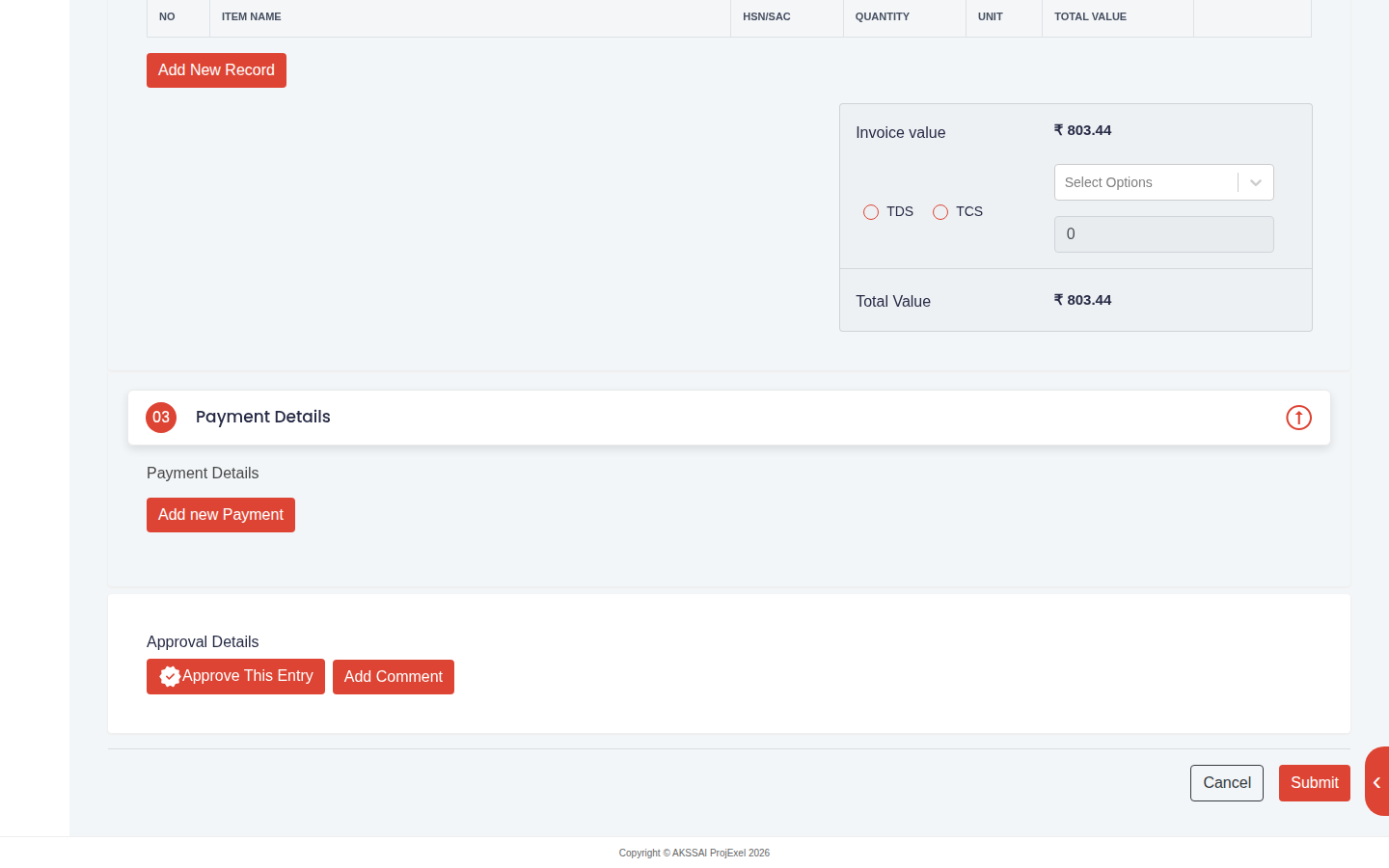
Your name then appears under Approved By on the list. Comments are kept with the entry and can be read from the comment icon on the row; the audit icon beside it shows the history of changes to the entry, including approval.
How payment status is set
Payment status is driven by the payments recorded against the entry under Payment Details, and those payments arrive in two ways.
- From the bank statement. When a statement is uploaded, each transaction is matched to a customer or supplier and, where an open invoice for the amount exists, allocated to it. The invoice moves to Paid, or Partial Paid if the amount is less than the balance. This is the usual route and needs no action on the invoice itself.
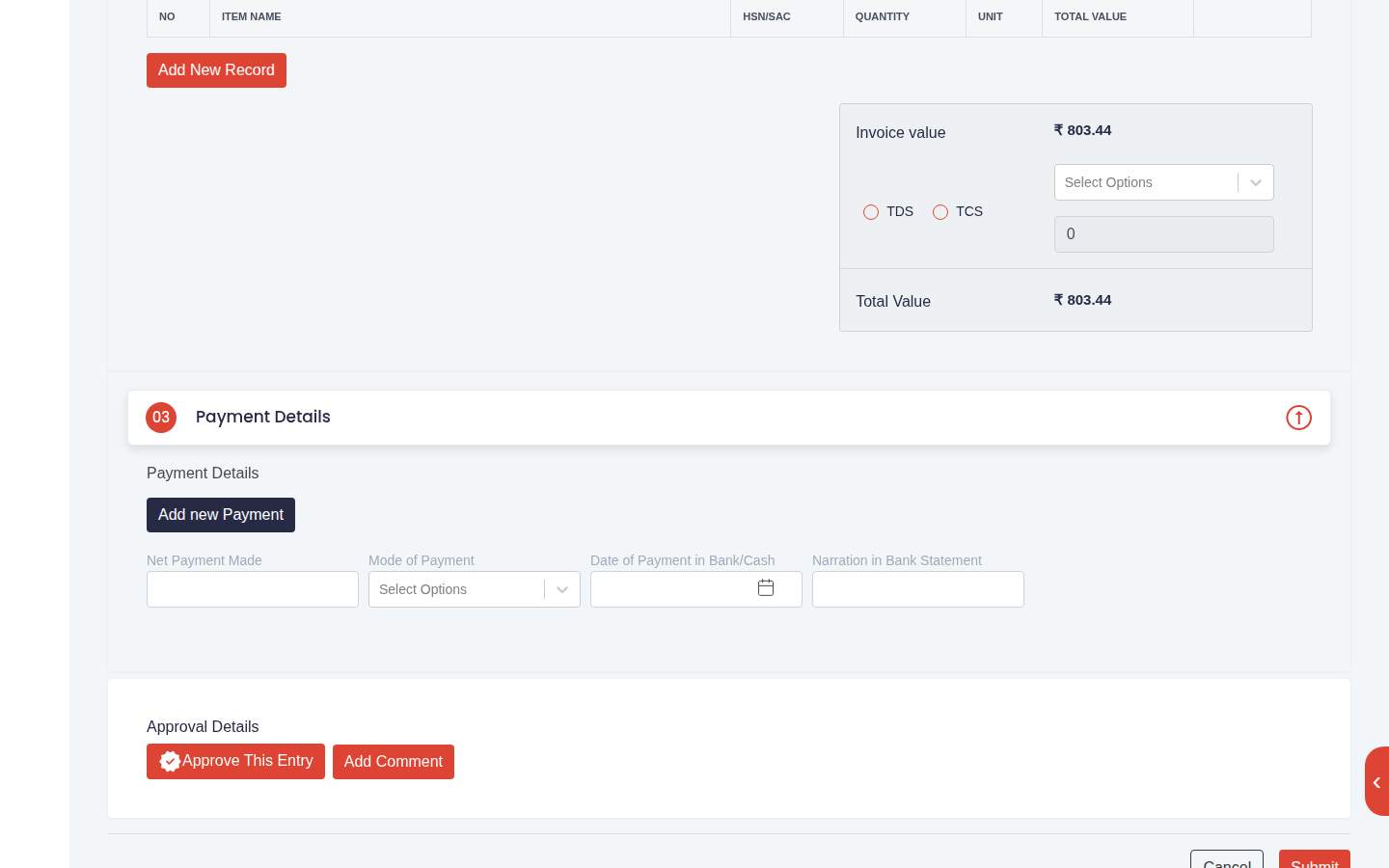
- Manually. Open the entry, select Add new Payment under Payment Details, and enter the Net Payment Made, Mode of Payment, Date of Payment in Bank/Cash and the Narration in Bank Statement. The narration is what allows the payment to be recognised when the statement arrives, so copy it from the bank record where possible. Cash payments and payments from an account not yet uploaded are recorded this way.
An invoice with TDS deducted by the customer shows Paid when the net amount is received, because the deducted tax is recorded against the TDS receivable when the entry is created.
Filtering by status
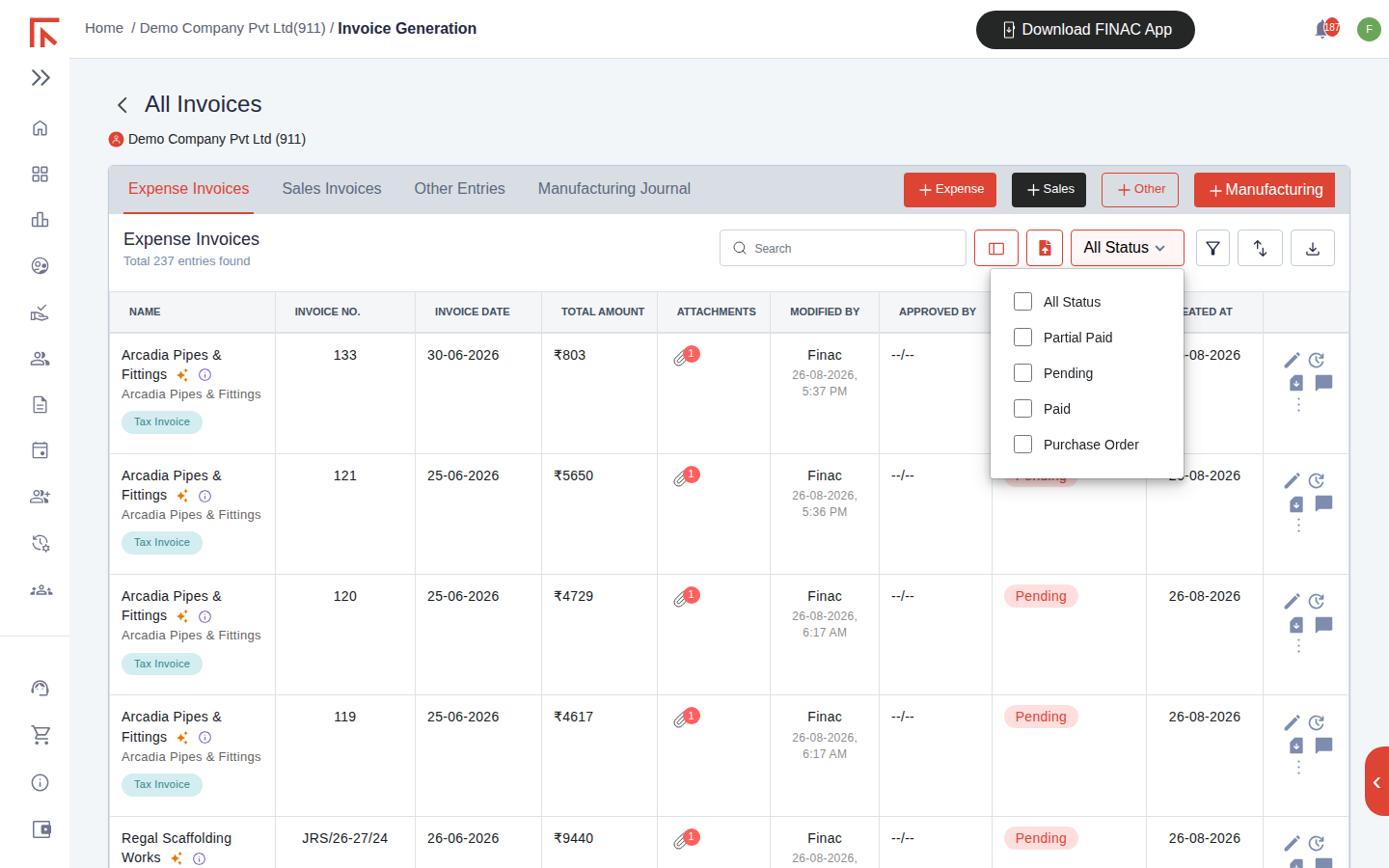
The All Status control above each list filters by payment status: Partial Paid, Pending, Paid or Purchase Order. Combine it with the search box, the filter icon (date range, supplier or customer) and the sort icon to build a working list, for example all pending bills for one supplier, and use the export icon to download it.
Frequently asked questions
Who can approve?
Users given approval rights for the client. Others can record and edit entries but the Approve This Entry action is not available to them.
A supplier was paid from the bank but the bill still shows Pending.
Open the uploaded bank statement and check the transaction. If it was posted to the supplier's ledger without being allocated to the bill, the balance sits on the ledger and the bill stays Pending until it is allocated, or a payment is added to the bill manually with the same date and narration.
Can an approved entry be edited?
Yes, by a user with the right to edit. The change is recorded in the entry's audit history and the approver can be asked to re-approve.