Client Settings: Business Addresses and GST Branches
A business often operates from more than one place: a registered office, a warehouse, a branch in another state. In Finac each of these is a Business Address, and each address carries its own GSTIN, signatory details and bank details. Invoices are raised against an address, GSTR-1 and GSTR-3B are prepared per GSTIN or branch, and the address record supplies the legal name, logo and notes printed on the invoice PDF. This article explains how to view, add and maintain business addresses.
On this page
- Opening Business Addresses
- The address list
- Adding an address
- Field reference
- Addresses and GST filing
- Frequently asked questions
Opening Business Addresses
- Open the client from the Clients List.
- On the Client Dashboard, select Settings.
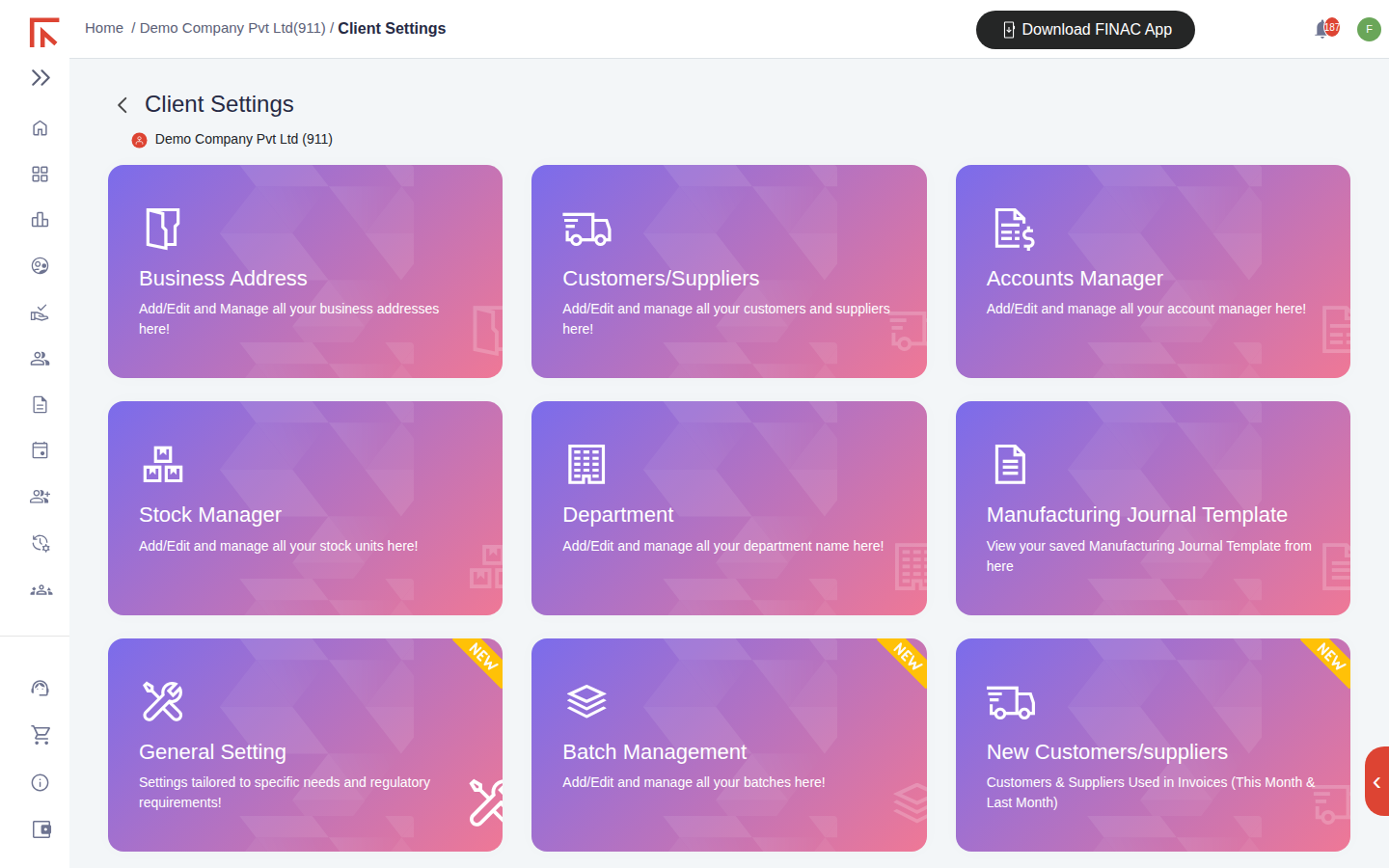
- Select the Business Address card.
The address list
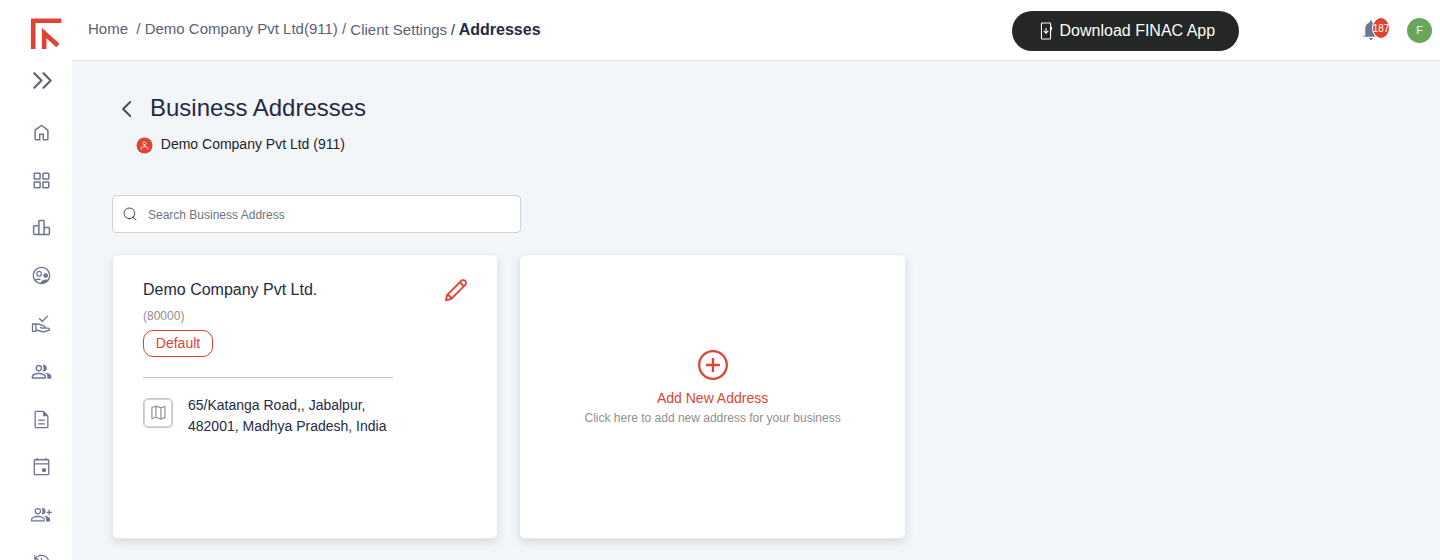
The default address appears first, marked Default, with an Add New Address card beside it. Any further addresses are listed under Other Addresses. Each card shows the legal name, the unique number assigned to the address, the postal address and, where recorded, phone numbers. The pencil icon opens the address for editing, and the search box filters the list by name.
Adding an address
- Select Add New Address.
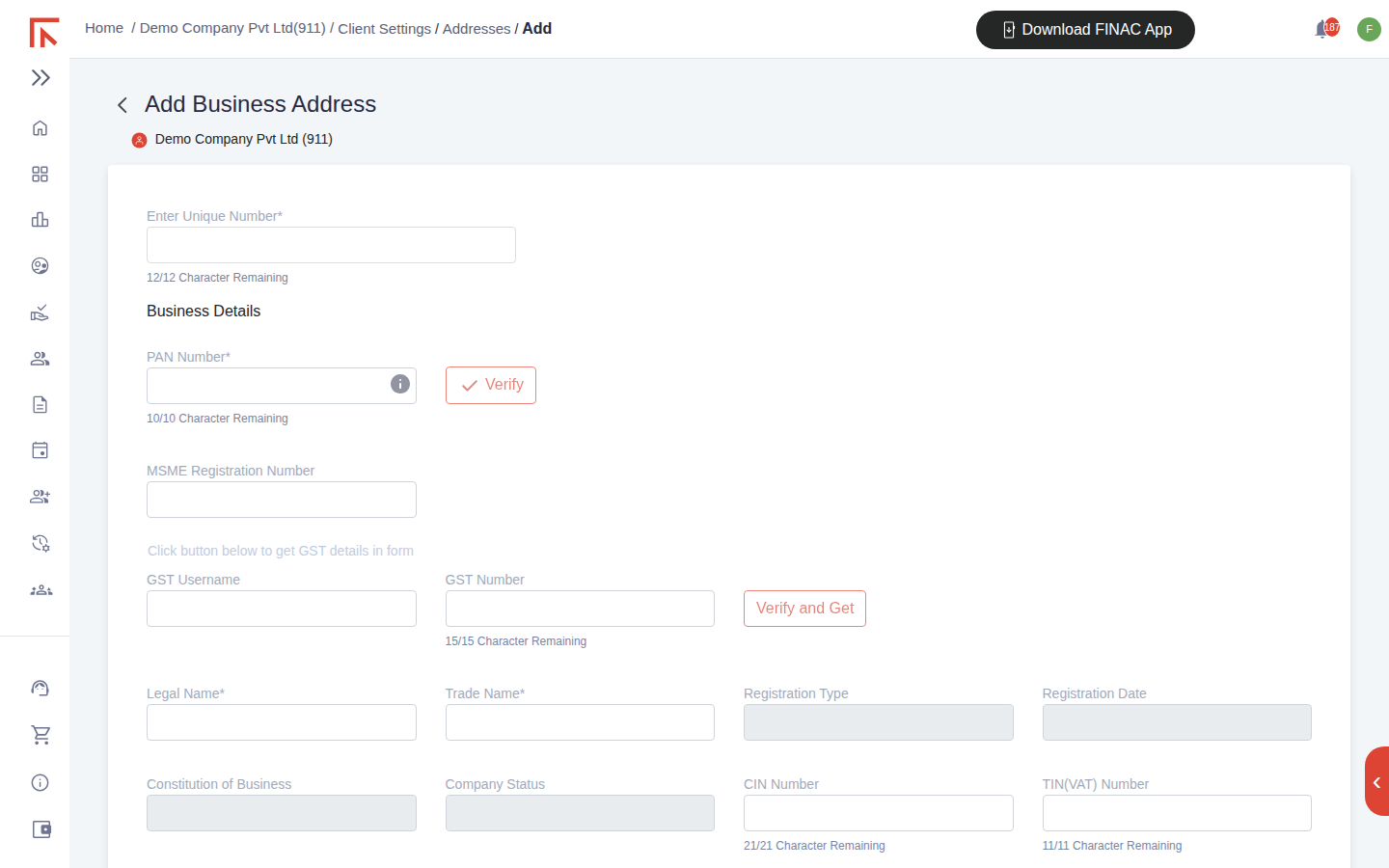
- Enter a Unique Number for the address. This is the internal reference used to select the address on invoices.
- Enter the PAN Number and select Verify. Finac checks the PAN against the income tax database and fills the legal name where available.
- Enter the GST Number and select Verify and Get. The legal name, trade name, registration type, registration date, constitution of business and company status are filled from the GST registration.
- Complete the Authorized GST Signatory block: signatory PAN (with Verify), name, email and phone number. These details are required before GSTR-1 can be filed for the GSTIN.
- Fill Contact Details: address lines, pin code, country, phone, email and website. Tick Make this as Default Address if invoices should default to it.
- Add Payment Details as needed: bank account (with IFSC Verify), UPI ID and QR image, cheque payee name and an online payment link. These print on sales invoices raised from this address.
- Select Submit.
Field reference
| Section | Fields | Notes |
|---|---|---|
| Business Details | PAN Number, MSME Registration Number, GST Username, GST Number, Legal Name, Trade Name, Registration Type, Registration Date, Constitution of Business, Company Status, CIN Number, TIN (VAT) Number | PAN and GST Number carry a Verify action. Registration fields fill automatically after Verify and Get. |
| Service Invoice | Toggle | Turn on if invoices from this address are service invoices; the invoice layout and tax fields follow. |
| Authorized GST Signatory | Signatory PAN Number, Signatory Name, Signatory Email, Phone Number, TAN Number | Needed for GSTR-1 and GSTR-3B. TAN is used for TDS returns. |
| Invoice Heading | Company logo (PNG or JPG up to 2 MB), Notes | Printed on downloaded invoices. |
| Contact Details | Address 1 and 2, Pin Code, Country, Mobile Number, Telephone Number, Email, Website, Make this as Default Address | Email is mandatory. |
| Other Details | Udyog Aadhar Number, Professional Tax (Employer and Person), Service Tax Number, IEC Code, 80-IAC Registration Number, Startup India Registration Number, EPFO Number, ESIC Number | Statutory registrations recorded for reference and for compliance tracking. |
| Payment Details | Online Payment Link, Signature image, Cheque Payable To, IFSC Code, Account Number, Beneficiary Name, Bank Name, Swift Code, Bank Branch Address, City, UPI ID, UPI QR | Account number carries a Verify action. Printed on sales invoices. |
Addresses and GST filing
The GST module prepares GSTR-1 and GSTR-3B for one GSTIN or one branch at a time, and the list it offers comes from the Business Addresses recorded here. When a client registers in a new state, add the address with its GSTIN before recording invoices for that state; the invoices then carry the correct GSTIN and the return picks them up. The signatory PAN must be verified on the address, or the return header shows a warning and filing is held.
Frequently asked questions
Can two addresses share a GSTIN?
Yes. A branch in the same state as the registered office usually shares its GSTIN. Record it as a separate address with the same GST Number so invoices can be raised from the branch; the return still consolidates under the one GSTIN.
What is the Unique Number?
An internal reference you choose for the address. It appears on the address card and in the branch selector on invoices and reports.
The legal name filled by Verify and Get differs from the name we use.
The legal name comes from the GST registration and is what must appear on tax invoices. Enter the working name in Trade Name.