Job Tracker and Open Items: Compliance Tracking
Compliance work for a business runs on deadlines: GSTR-1 by the 11th, GSTR-3B by the 20th, the income tax return, the annual audit. Finac tracks that work in two connected screens. Job tracker lists each job for the client with its target date, the person responsible and its status. Open Items lists the documents the client has been asked to provide for those jobs, so both the team and the business owner can see what is outstanding and by when. This article covers both screens and how they relate.
On this page
Job tracker
From the Client Dashboard, select Job tracker. Every job set up for the client is listed with the following columns.
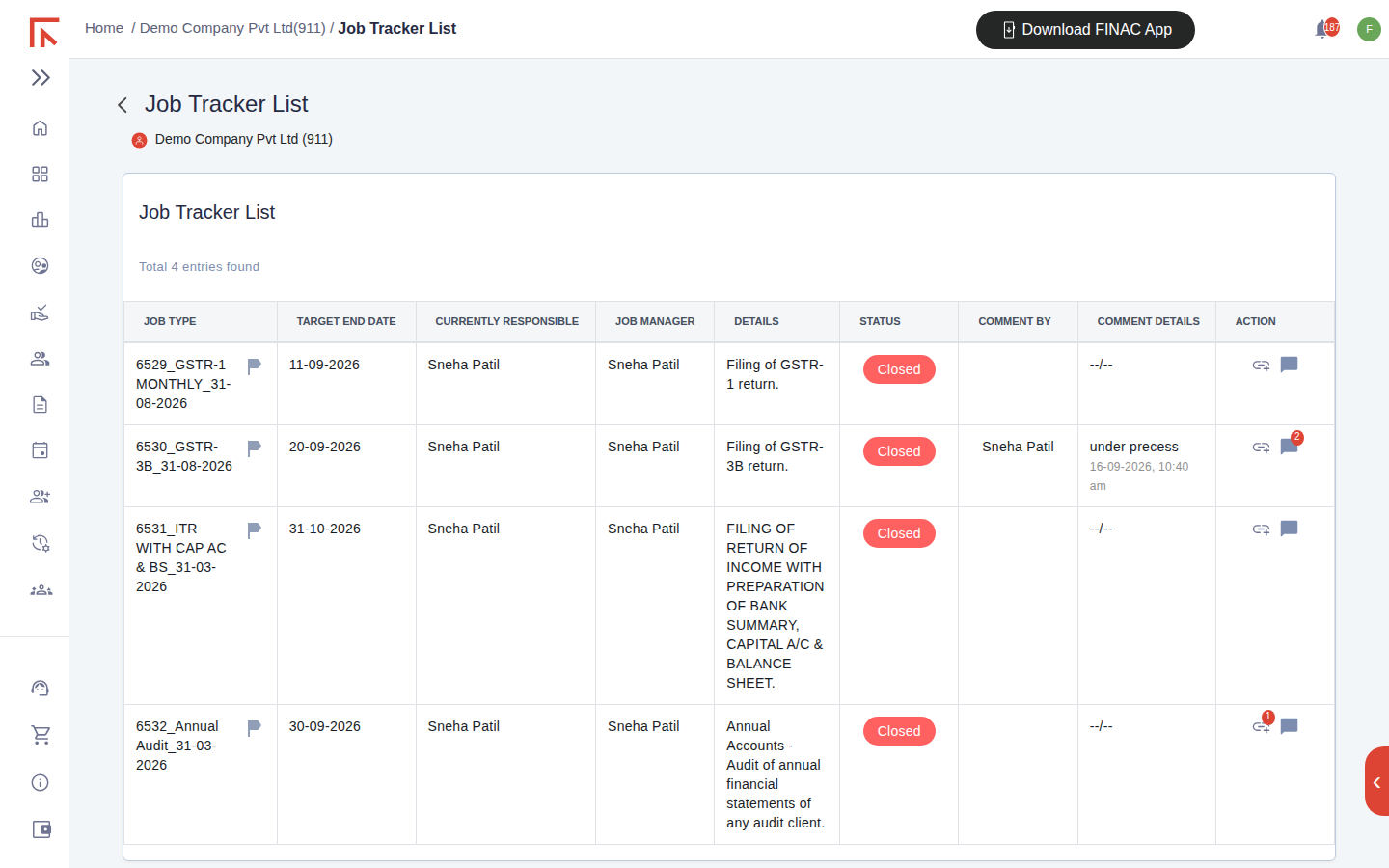
| Column | Meaning |
|---|---|
| Job Type | The job identifier, made up of the job ID, the type (for example GSTR-1 MONTHLY, GSTR-3B, ITR WITH CAP AC & BS, Annual Audit) and the period end date it covers. |
| Target End Date | The date by which the job should be complete, normally aligned to the statutory due date. |
| Currently Responsible | The team member the job currently sits with. |
| Job Manager | The team member accountable for the job overall. |
| Details | A short description of the deliverable. |
| Status | The current stage of the job (see below). |
| Comment By / Comment Details | The most recent comment on the job, who left it and when. |
| Action | Icons to open the job's history and comment thread. A badge on the comment icon shows the number of comments. |
Job status and comments
A job's status reflects where it is in the workflow, from open through in-progress stages to Closed once the return is filed or the deliverable is issued. The status badge is colour-coded so that overdue or open work stands out in a long list. Comments provide the working notes on a job: a query raised to the client, a note that a return is under process, or a record of what was filed. Select the comment icon in the Action column to read the thread or add a comment; the latest one is surfaced in the list itself.
Open Items
Select Open Items on the Client Dashboard. Each row is one document request attached to a job: the sales bills for a GSTR-1 period, the expense bills for GSTR-3B, a PAN card copy for the income tax return, the books of accounts for the audit.
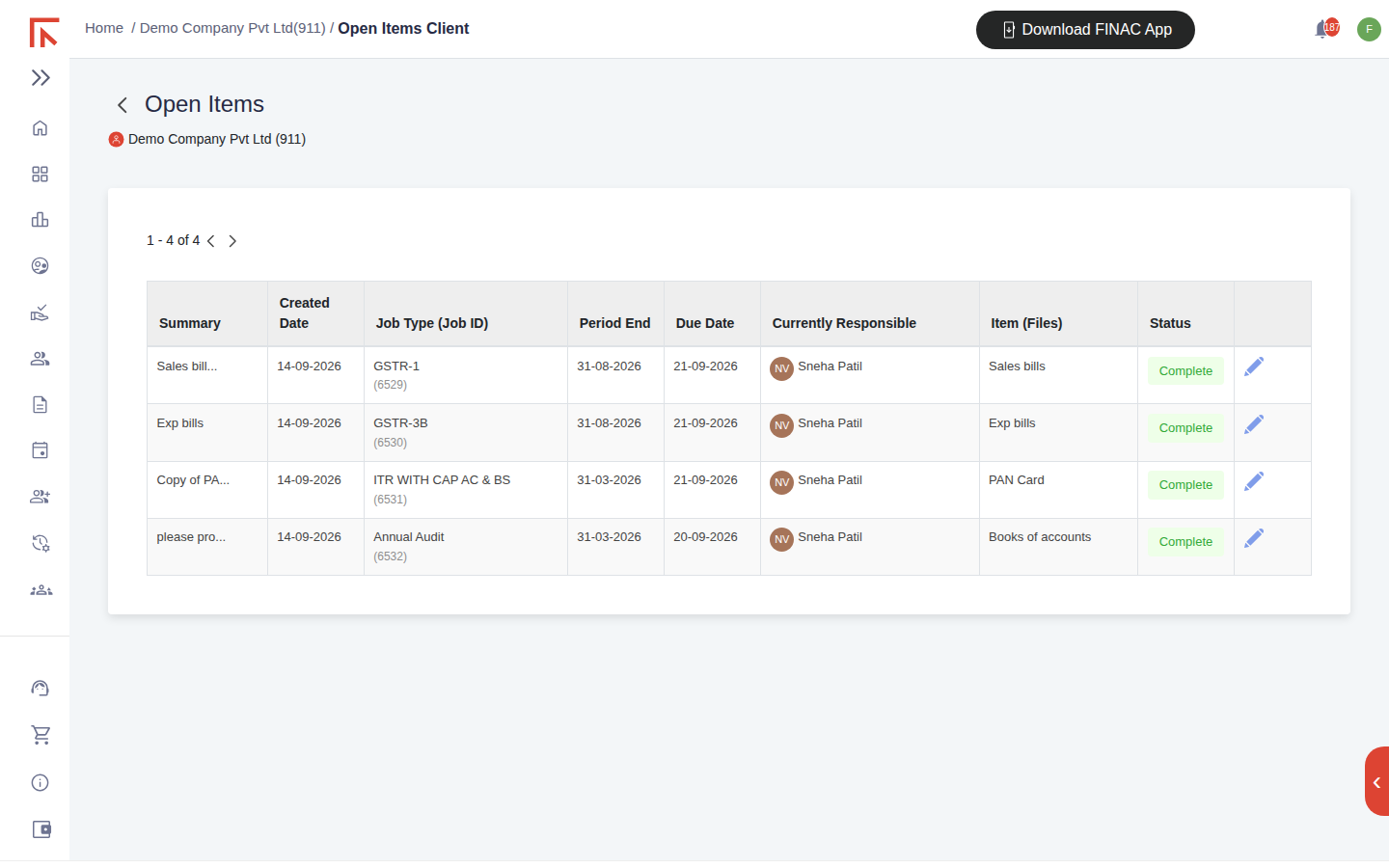
| Column | Meaning |
|---|---|
| Summary | The request text as written by the team. |
| Created Date | When the request was raised. |
| Job Type (Job ID) | The job the document is needed for, linking back to Job tracker. |
| Period End / Due Date | The period the document covers and the date it is needed by. |
| Currently Responsible | Who is waiting on the document. |
| Item (Files) | What has been asked for, and the files uploaded against it. |
| Status | Complete once the document has been received; open otherwise. |
The pencil icon on a row opens the item, where the requested file can be uploaded and a comment added. Uploaded files are stored in the client's File Manager.
How a job moves
- A job is created for the client for a period, for example GSTR-3B for August, with a target end date and a responsible person.
- Any documents needed from the client are raised as Open Items against that job, each with a due date.
- The client uploads the documents, or sends them by WhatsApp or email, and the items are marked Complete.
- The team works the job, leaving comments as it progresses. The status moves through the workflow stages.
- When the return is filed or the deliverable issued, the job is set to Closed. The history remains available from the Action column.
Frequently asked questions
The Job tracker for my business is empty.
Jobs are set up by the Finac team when a compliance service starts for a client. Contact Support if a return you expect to see is not listed.
Can I see only overdue items?
Sort by Due Date or Target End Date to bring the earliest dates to the top; open items past their date are those still awaiting action.
Where do uploaded documents go?
Into the client's File Manager, in the folder for the relevant financial year or return, from where they are processed.